Shipt CMS is the internal product merchandising, media, and marketing use to build what customers see on web. I was brought on to improve the tool itself: user experience, intake from teams, and a roadmap with my PM that moves the product toward self-service.
RoleSole Product Designer
Team1 PM, 6 Engineers
Users100+ marketing & merch
ScopeTool UX + product direction
01
The product
Digital merchandising and media build what customers see on web; marketing is secondary (landing pages, segments).
That means global and retailer homepages, deals, product collections, and more. Almost every homepage initiative runs through the CMS, so when leadership or partners want a big change, the tool sits in the dependency chain and cross-team collaboration starts here.
Why the tool matters
When merch and media cannot self-serve in the CMS, engineering becomes the bottleneck for what customers see on the homepage.
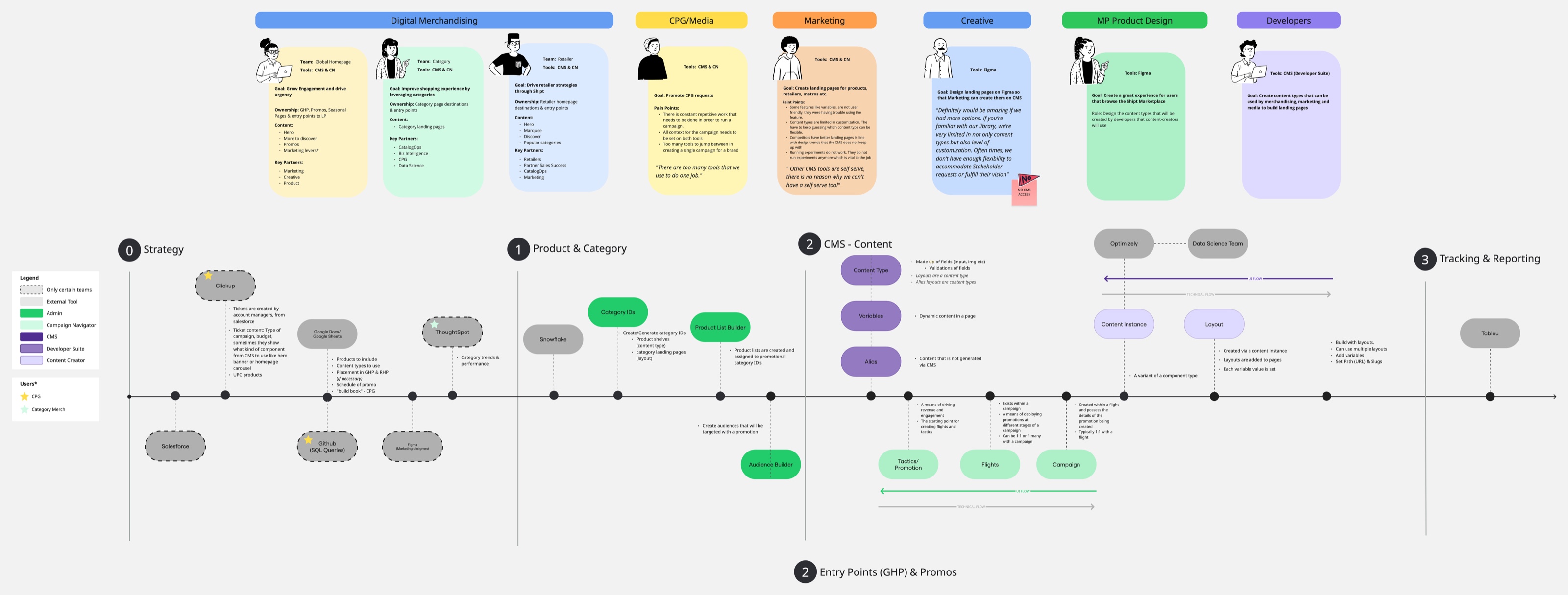
Users and journey · Merchandising through reporting
02
What success looks like
Success is self-service: users find how to do their work in the product, not in Slack.
The loop I inherited
Build a feature that is tech heavy and expect there will be a flood of messages from merch and marketing asking how it works. Blame the users for not being technical enough.
My goal
Design for clarity up front so engineering was not the default support, including for features that already existed but were not discoverable in the product.
User satisfaction
6 → 7.5
Quarterly survey NPS over two quarters. Goal was 9 out of 10 within four quarters through enhancements and net-new work. Open-ended feedback shifted from feature requests to positive comments.
Slack support: ~3–4 issues across ~60 users (long eng threads) down to ~1 question per day with shorter threads
Baseline we were improving
My PM and I estimated engineering support at roughly $700 per page when the tool was not self-serve. Not remeasured post-launch, but it framed why self-service mattered.
03
My role on the product
I design the tool, not the campaigns.
That includes UX inside the CMS plus intake from users and other teams, cross-functional requirements, and shaping what we ship each quarter with my PM. Each quarter balanced two tracks: industry parity (net-new features) and tool enhancements (improving what was already built), alongside intake from homepage dependencies. We ran competitive research (industry tools and our parent company CMS), defined five parity features, and prioritized by most pain solved at once. I partnered with six engineers to ship while still handling intake.
Five net-new features for industry parity (dashboard shipped first):
01
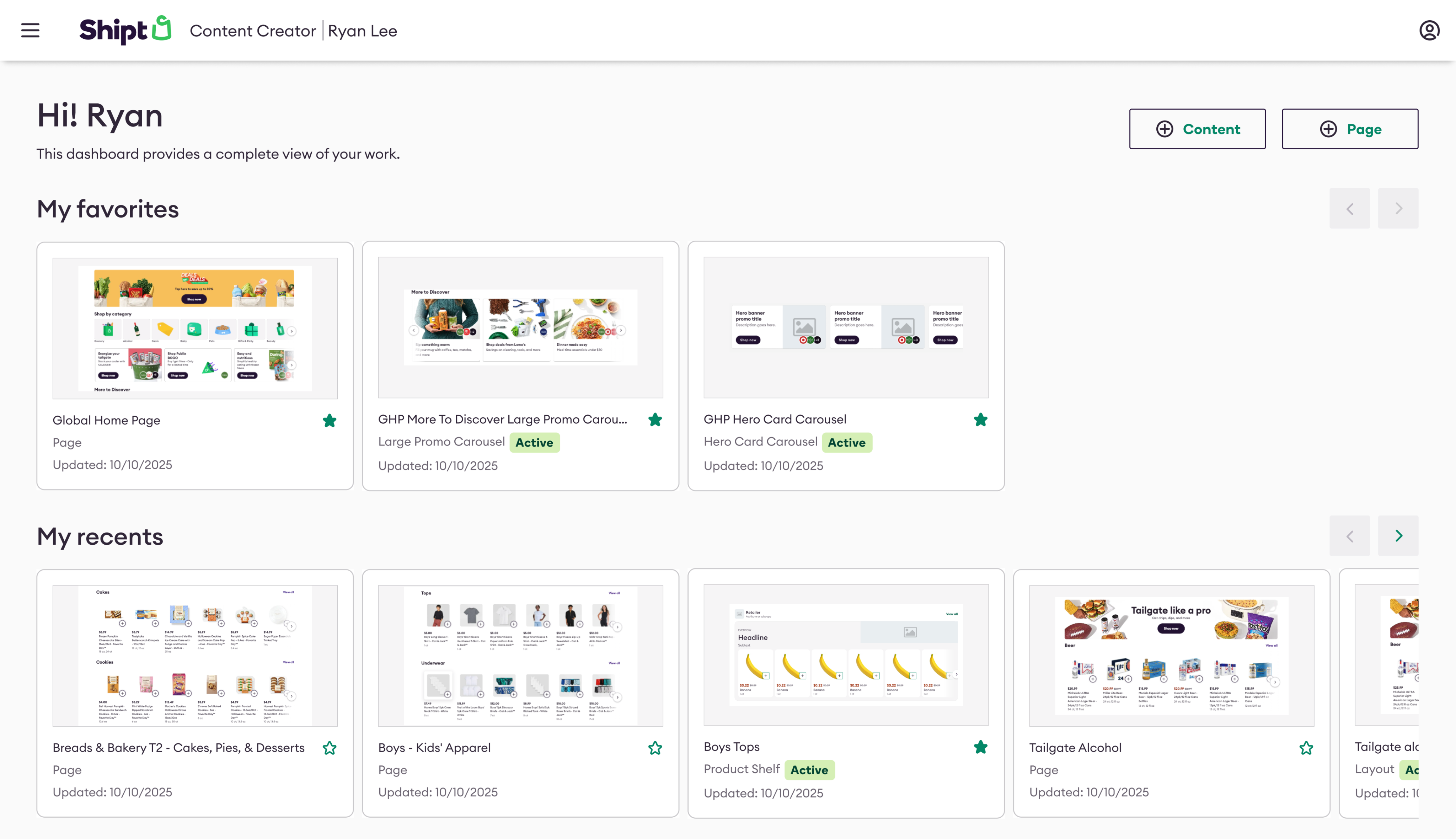
Personal dashboard
Discoverability of content by who creates or updates it. Shipped.
Led design, launched
02
Role-based access
Right permissions for admins, developers, marketers, and merchandisers.
03
Approvals
Review and sign-off in the product instead of side channels.
04
Commenting
Feedback on content where teams already work.
05
Team libraries
Shared component and content patterns across teams.
Shipped work below maps to those two tracks: one parity new feature we led with, then tool enhancements on existing surfaces (not the full parity roadmap).
04
New feature · Industry parity
Personal dashboard
Why dashboard first
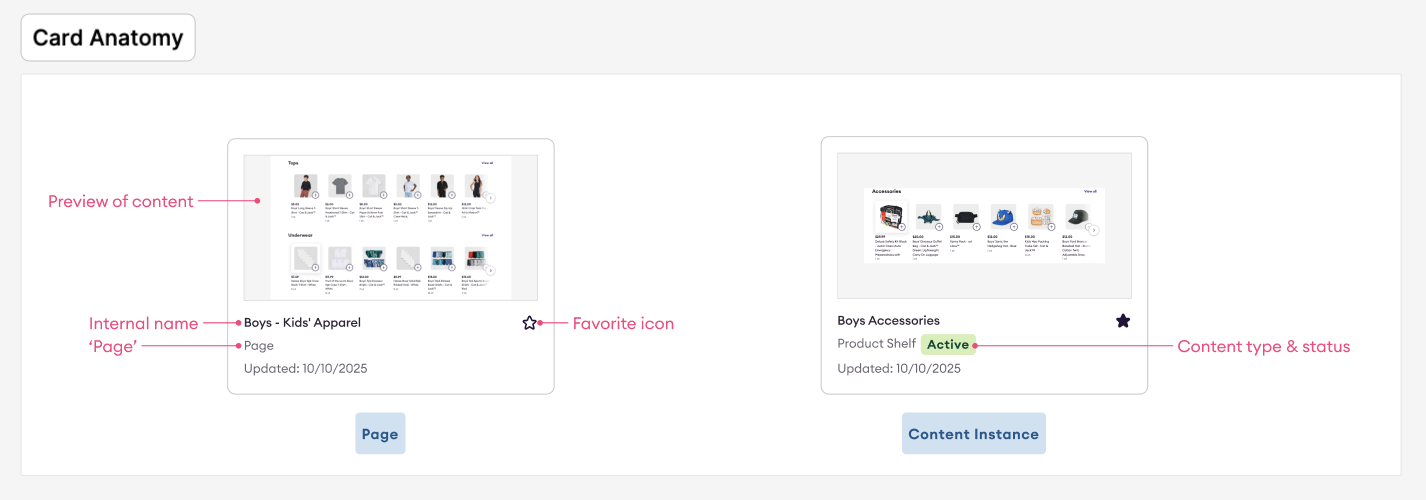
Everyone landed on one shared list that favored marketing alphabetically, so you kept searching for your own work after every context switch.
The dashboard made content discoverable by owner, set up approvals later, and scoped loads to what each user needs so eng was not loading everyone's work during a search.
05
Tool enhancement
Scheduling on high-value placements
The problem
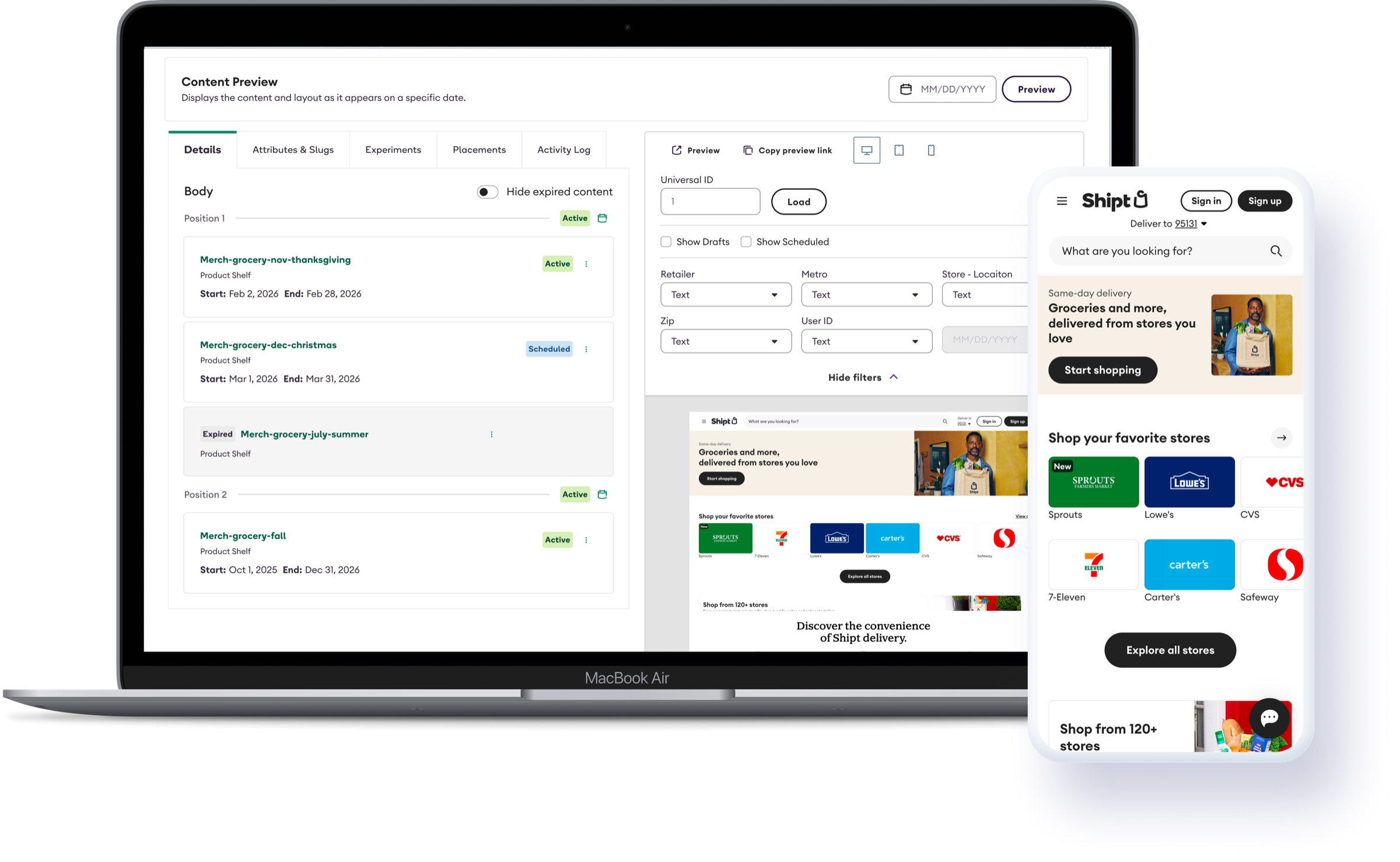
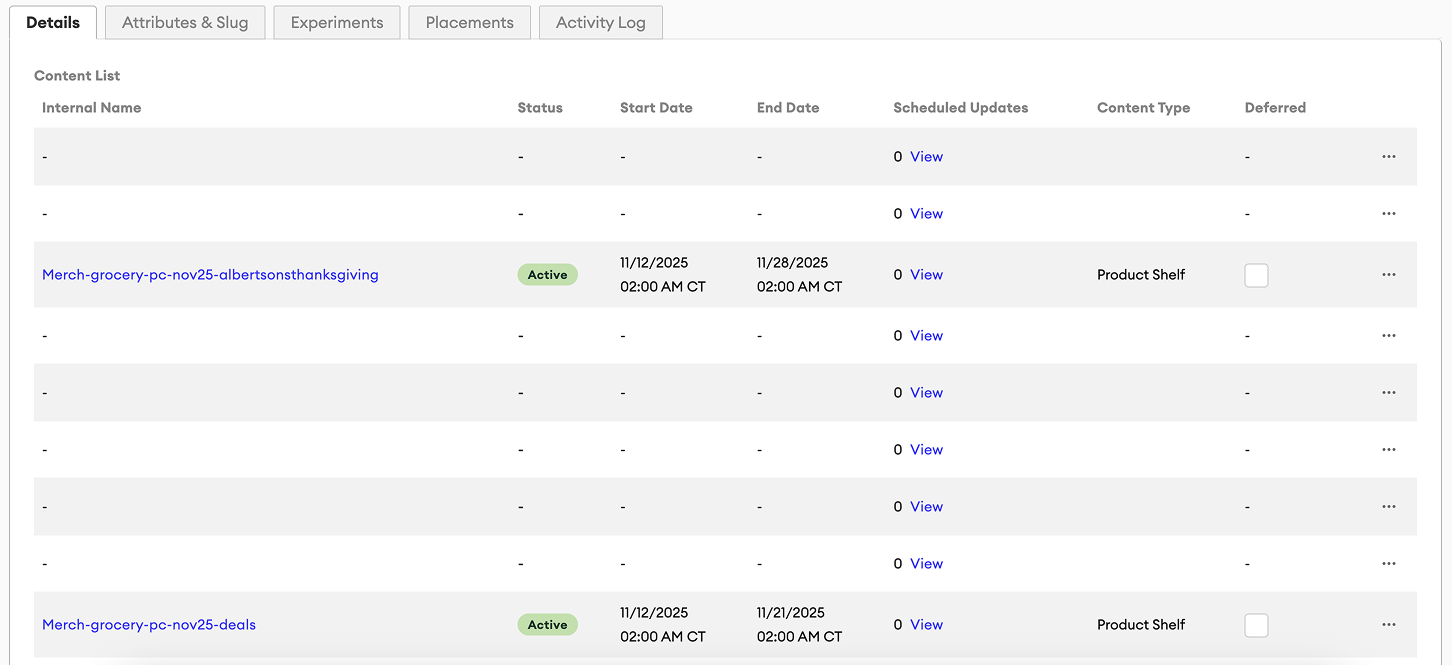
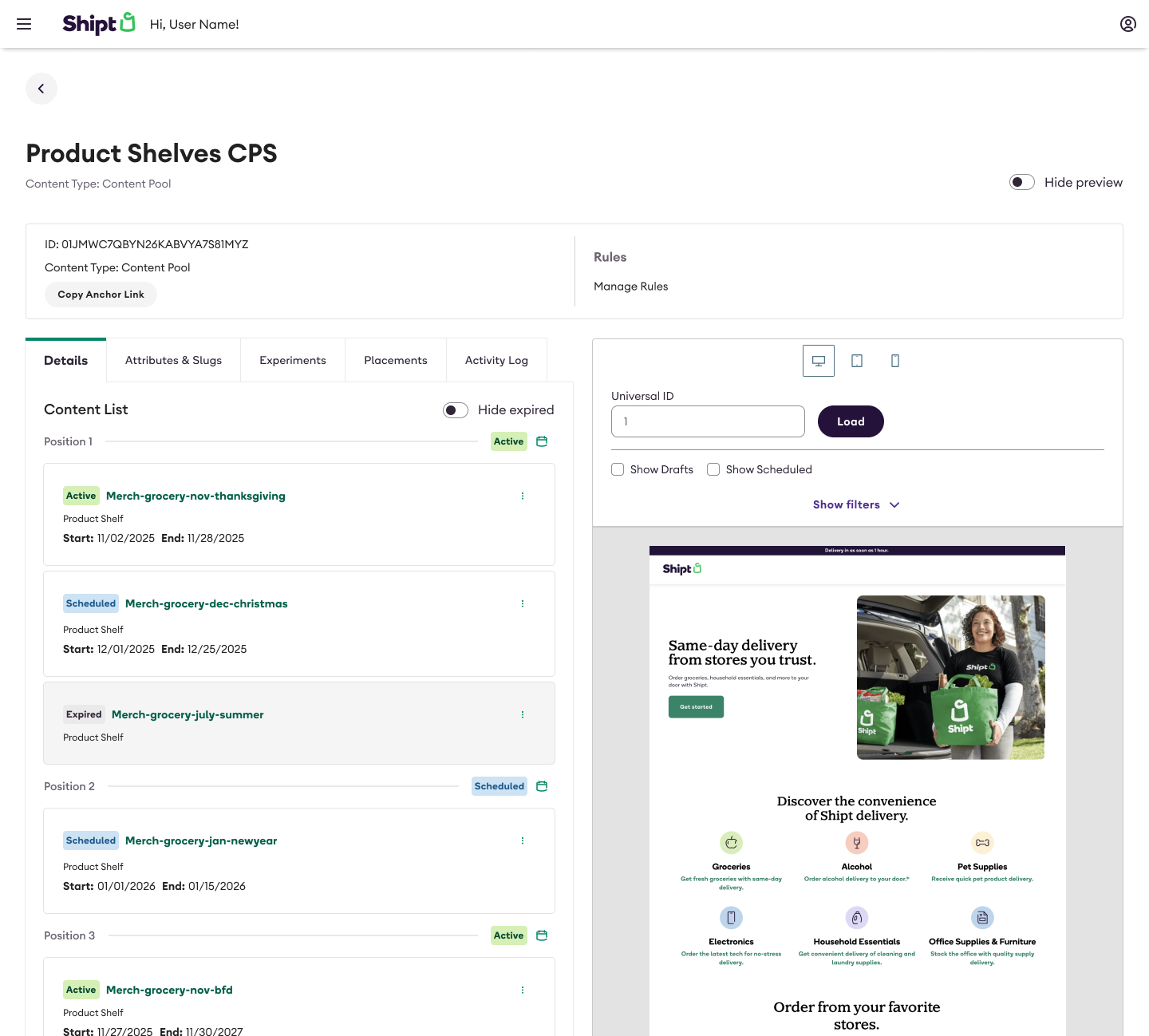
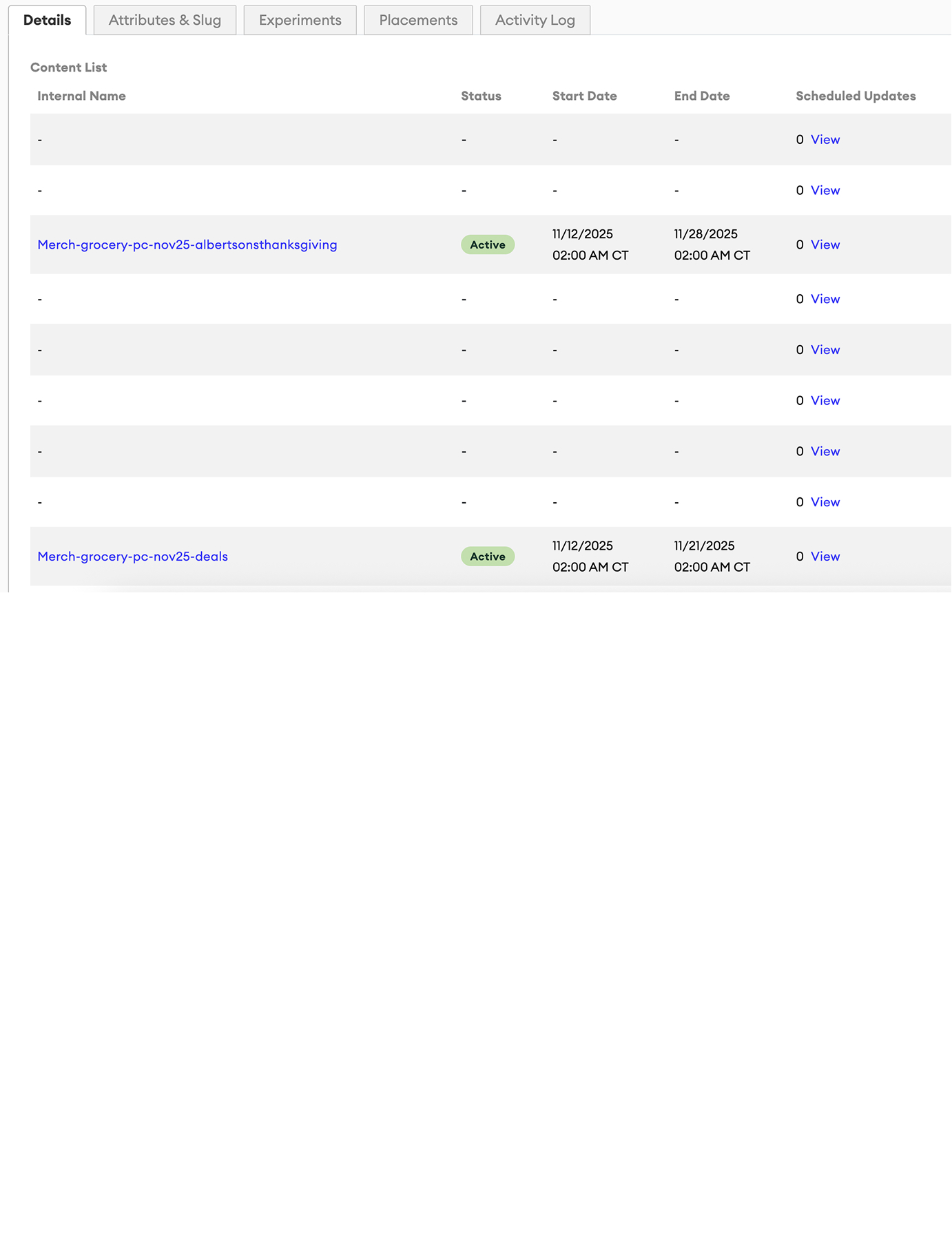
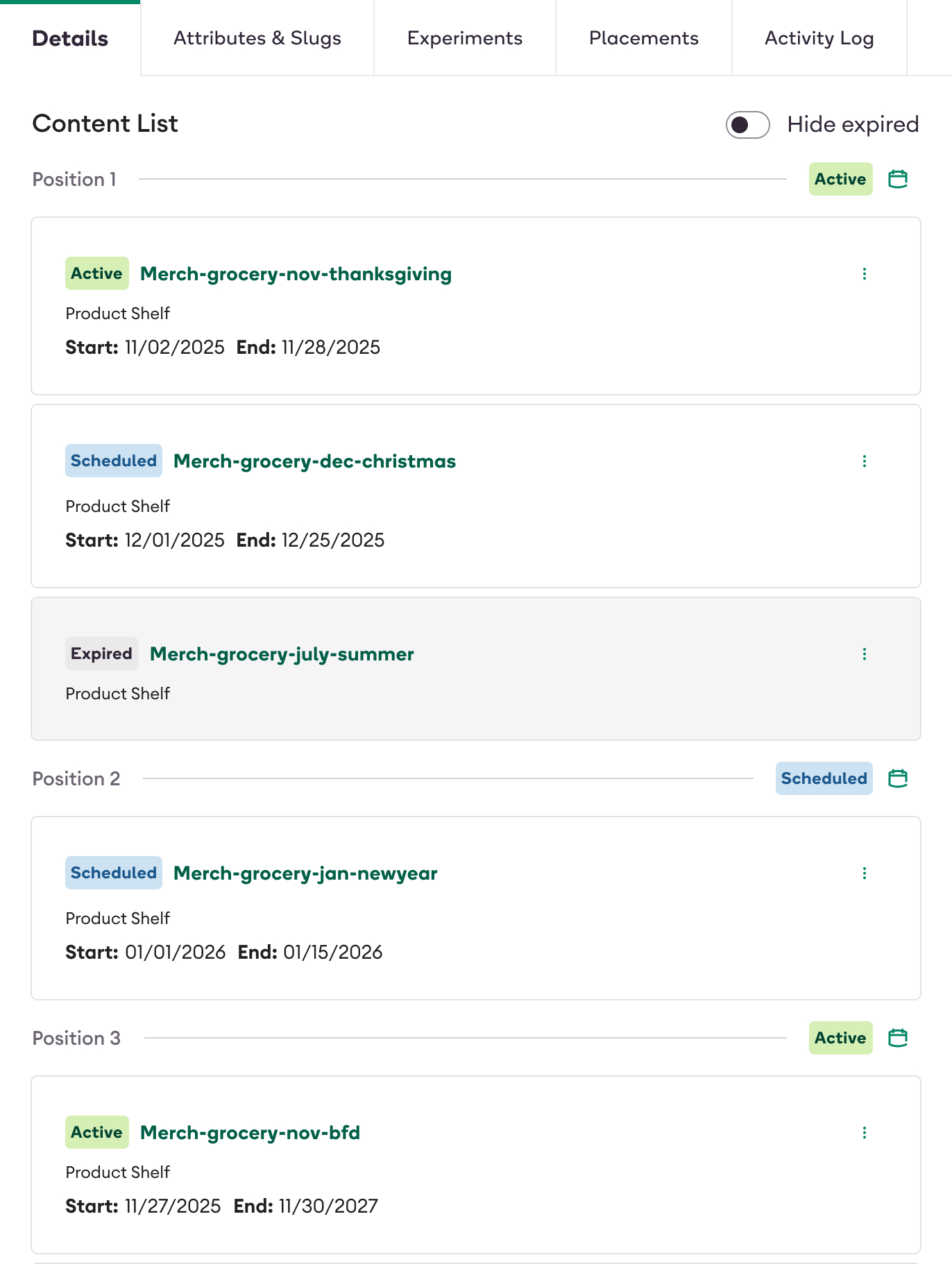
Future and expired schedules were already in the data, but the placement table showed empty cells until you knew where to click.
We surfaced expired and future content, moved table to cards, and showed references so teams could plan a high-value homepage slot without Slack or eng.
Before
After
06
Tool enhancement
Preview
Preview
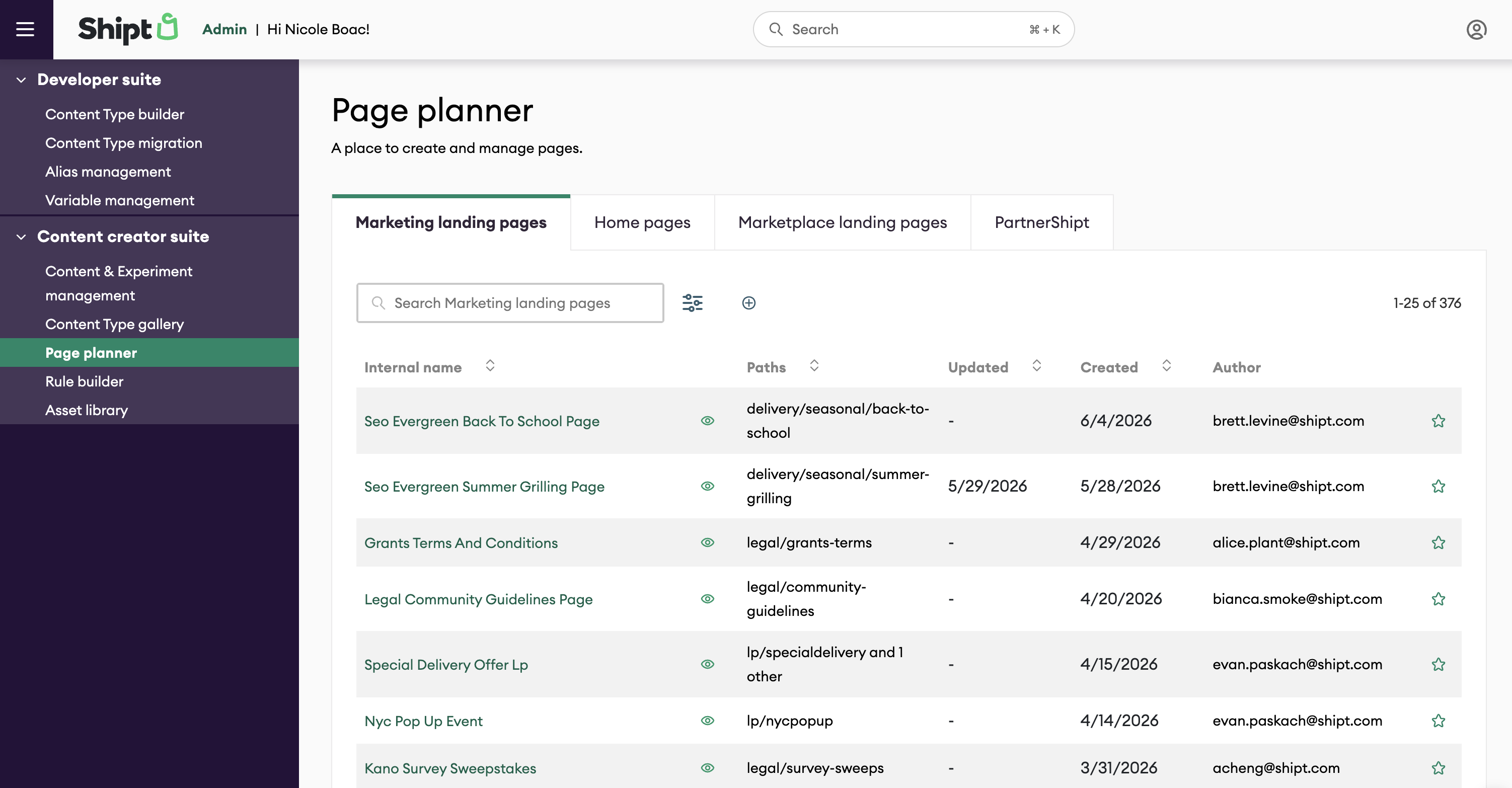
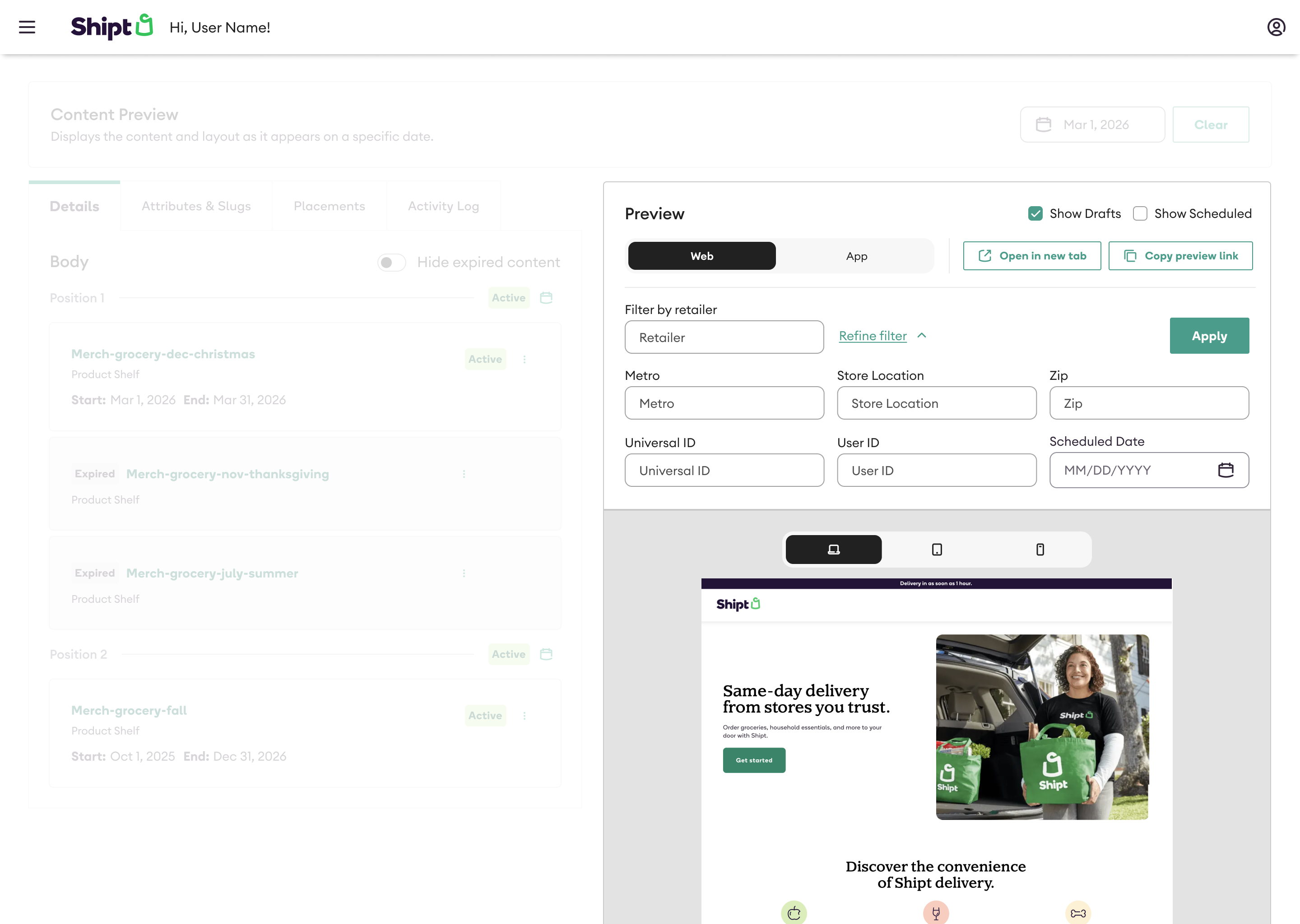
Users confused mobile web preview with the native app, so we labeled both clearly and added retailer and zip filters so preview matched how content actually served.